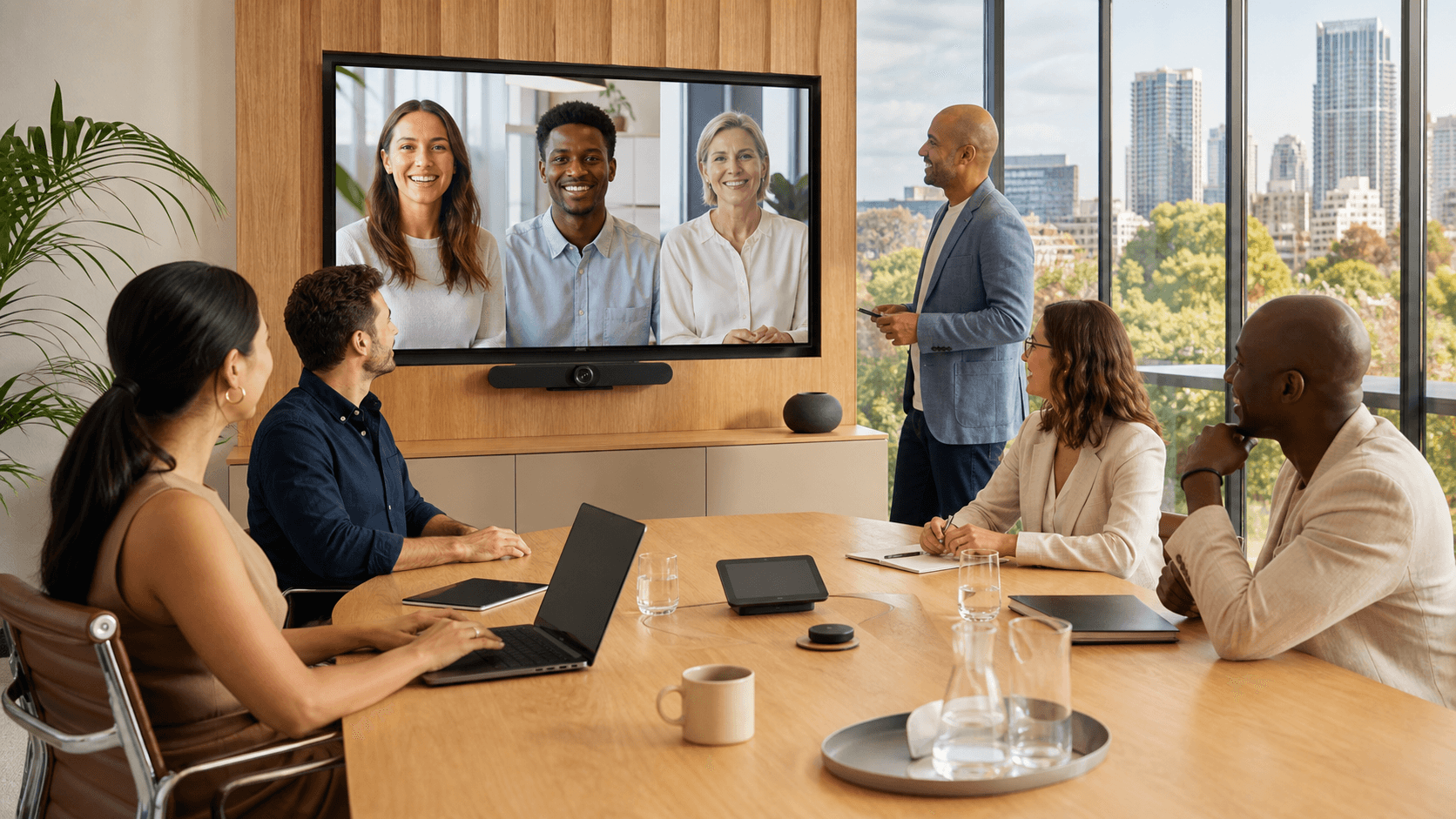
Powering Hybrid Teams with Smarter Video Collaboration
Hybrid work is no longer a special perk across Australia and New Zealand; it is just how many teams run now. People might be in a CBD office, at a regional site, on the road, or working from home, often in the same project team. That means video collaboration is not a nice-to-have, it is how meetings, client catch-ups and daily stand-ups actually happen.
When teams get stuck with basic video tools, the cracks show quickly. Meetings drag on, people talk over each other, audio cuts in and out, and no one is quite sure who is meant to do what next. Security can also be shaky, which is a real worry when you are sharing client data or internal plans. Productivity drops and trust can take a hit.
Modern video conferencing solutions change this by giving hybrid teams a consistent, simple way to connect. When it works well, joining a meeting feels the same whether you are in a boardroom in Sydney, a home office in Wellington, or a hotel room in Cairns. At Aera, we help businesses across Australia and New Zealand choose and support video tools that actually fit how their people work.
What Hybrid Australian Teams Really Need From Video
Hybrid work in our region comes with its own quirks. Metro offices might have fast fibre, while regional staff may rely on mixed quality broadband or 4G. Teams often stretch across time zones, and flexible working hours mean some people are in the office and others at home for the same meeting. Your video setup has to cope with all of that without making every meeting feel like a tech experiment.
There are a few must-haves that make a big difference day-to-day:
- HD video and clear audio that can adapt to weaker connections
- Low latency so people are not awkwardly talking over each other
- Easy screen and content sharing for slides, demos and documents
- Virtual whiteboards for quick co-creation
- Chat for side notes, links and quiet questions
- Support for both planned meetings and quick ad hoc calls
Device flexibility is just as important. Staff will join from:
- Laptops and desktops
- Mobile phones and tablets
- Dedicated meeting room systems
- Smaller huddle spaces in open offices
All of these should feel familiar to use, with similar buttons, menus and join flows. When tools behave differently on every device, people lose time just getting into the meeting.
Accessibility and inclusivity also matter. Features like live captioning, language translation and layouts that show remote attendees clearly help more people take part. Remote staff should not feel like tiny tiles in the corner while the meeting room dominates the screen. When everyone can see and hear each other easily, discussions feel more equal and decisions are stronger.
Designing a Video Conferencing Stack That Just Works
A reliable video experience does not happen by accident. It comes from getting a few key building blocks right and making sure they work together.
On the platform side, you need a stable, secure cloud video service that supports the features your teams actually use. Then you match that with meeting room hardware that fits each space, for example:
- Room cameras that frame people clearly
- Microphones tuned for boardrooms, huddle rooms and open spaces
- Displays that are easy to see from anywhere in the room
- Certified headsets and webcams for individuals
Network planning is just as important as the gear. Video and voice are real-time, so they do not like competing with large downloads or software updates.
Good network planning often includes:
- Prioritising voice and video traffic over less urgent data
- Using business-grade connectivity for offices and key sites
- Optimising Wi-Fi so busy floors can handle many concurrent calls
Security and compliance are non-negotiable for Australian and New Zealand organisations. Your setup should support strong encryption for meetings, sensible identity and access controls, and clear governance policies for recordings, chat data and file sharing. Data residency needs may also influence how you design and configure your environment.
Integration is the final piece. When video ties neatly into email, calendars, document collaboration and telephony, people do not have to jump between tools. One-click join straight from a calendar invite, easy dial-in options when needed, and direct sharing from your document platform all help meetings feel like part of a normal workflow, not a separate task.
Boosting Productivity and Culture with Better Meetings
When video works properly, the tech gets out of the way and teams can focus on the conversation. Features like intelligent framing keep faces centred, AI noise suppression cuts out barking dogs or office chatter, and layout options let participants choose how they see the room and remote attendees. Clear audio is especially important, as even small drops or echoes can quickly tire people out.
To help teams get more done in less time, it is worth looking for features such as:
- One-click join from email or calendar
- Automatic meeting recording for key sessions
- Searchable transcripts so people can find decisions later
- Built-in meeting notes and action items
- Integrations into project management and ticketing tools
Video is also a powerful way to keep culture strong in hybrid organisations. It supports regular team stand-ups, informal check-ins, virtual town halls, cross-site collaboration and remote onboarding. New starters can put faces to names quickly, and leaders can stay visible even when travelling.
At the same time, healthy meeting habits matter just as much as the tech. A simple set of norms can help:
- Keep groups smaller when decisions are needed
- Always set a clear agenda and expected outcomes
- Decide when a quick video call beats a long email thread
- Make sure both in-room and remote voices are heard equally
With the right habits and tools together, meetings become shorter, sharper and less draining.
Seasonal Considerations for Peak Busy Periods and Events
As teams head into late winter and start planning for end-of-year cycles, video conferencing often comes under real pressure. Project sprints, planning sessions, budget reviews and cross-region catch-ups can all happen at once. For many organisations, this is also when sales kick-offs, annual general meetings, board sessions and large virtual events are held.
It pays to get ahead of that peak load. Before you hit the busy patch, you can:
- Stress-test your video platforms with higher user counts
- Run pilot programs on new rooms or features with select teams
- Check meeting room equipment for firmware, audio and camera issues
- Review backup options for critical executive or customer meetings
Scalability and support are key in these periods. You may need to add licences quickly, support more people working remotely, or stand up extra meeting spaces at short notice. Having a local IT and cloud partner who understands regional networks, office setups and typical business cycles can make these changes smoother and less risky.
How Aera Helps You Modernise Video for Hybrid Work
At Aera, we take a consultative approach to video conferencing for hybrid teams. We start by looking at what you already have in place, including your current tools, connectivity, security posture and physical meeting rooms. From there, we design a solution that fits how your people actually work across Australia and New Zealand, not just what looks good on a feature list.
Because we provide secure cloud platforms, connectivity, voice, video conferencing solutions, IT support and managed cybersecurity, we can help you bring all of this together as one joined-up environment. That includes protecting every session, tuning networks for real-time traffic and aligning video with your broader IT and security strategy.
Our work does not stop at go-live. We keep an eye on call quality, manage upgrades and patches, help train users on new features and adjust settings as your hybrid strategy evolves. Over time, this turns video conferencing from a pain point into a quiet strength that supports better meetings, stronger culture and more confident collaboration across your whole organisation.
Transform Your Meetings With Reliable Video Conferencing Today
If you are ready to upgrade how your team connects, our tailored video conferencing solutions make it simple to collaborate clearly and securely from anywhere. At Aera, we design and support systems that fit your spaces, your workflows and your budget. Talk with our specialists to explore the right setup for your organisation and get practical advice on implementation. To discuss your needs or arrange a consultation, please contact us.